Load & Stress Testing












- 99.99% Uptime SLA
- G2 Top Performer
- Website monitoring leader since 1998
DATA-DRIVEN CLARITY
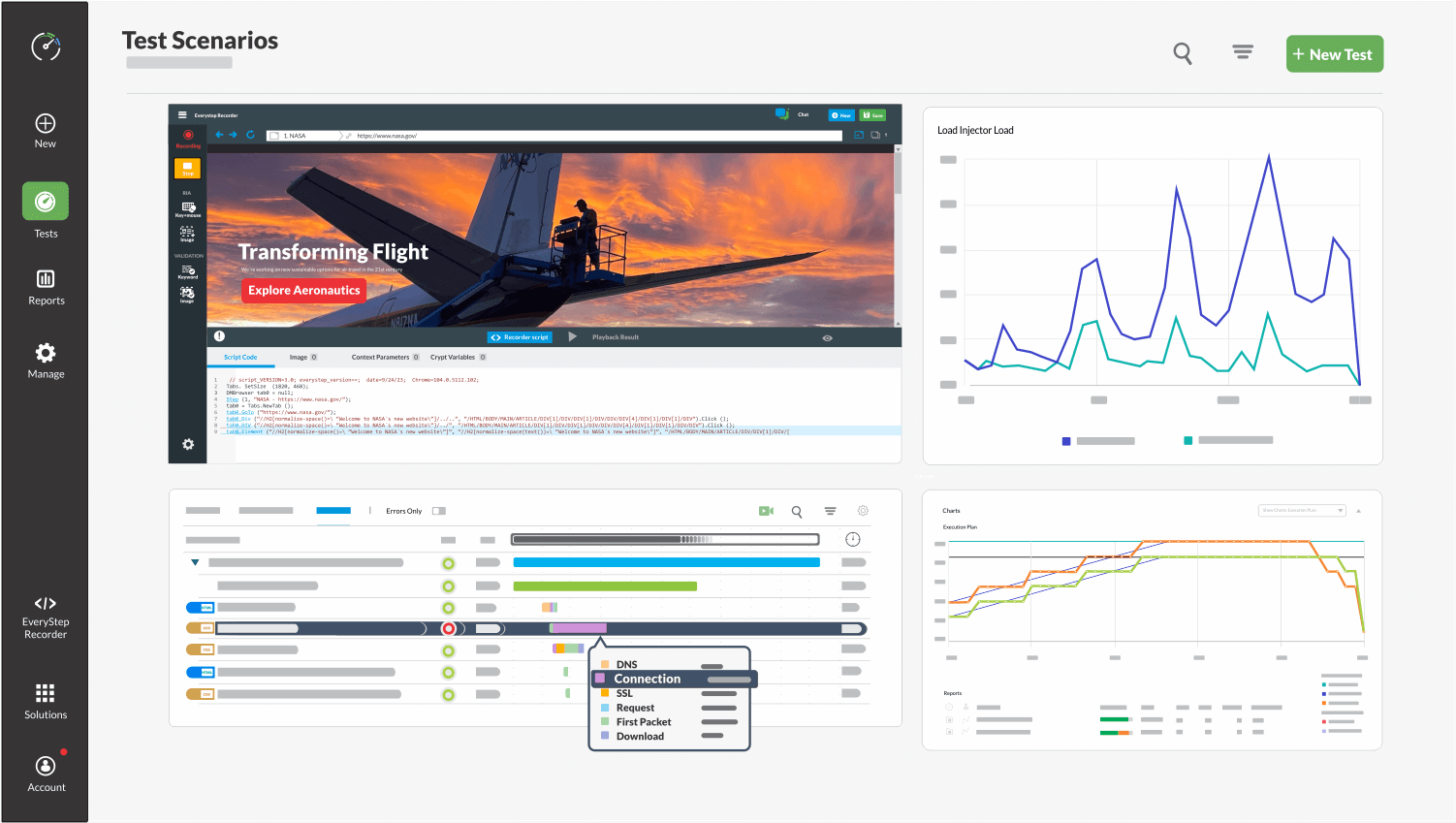
Flexible Performance Testing for DevOps
Our LoadView platform platform packs powerful enterprise functionality and features in a cloud-based, easy-to-use SaaS model.
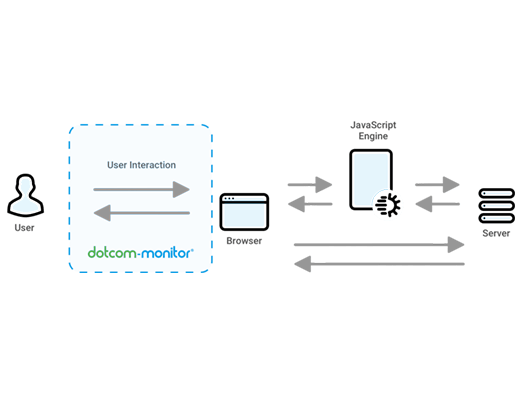
Real Browser-Based Load Testing
Real Browser Testing: Unlike many load testing tools that use headless browsers, LoadView runs tests in real browsers for authentic results.
True Performance Insights: Gain a comprehensive understanding of how your websites and applications perform under heavy load conditions.
Real-World Conditions: Experience load testing that mimics actual user behavior, providing you valuable insights for optimization.
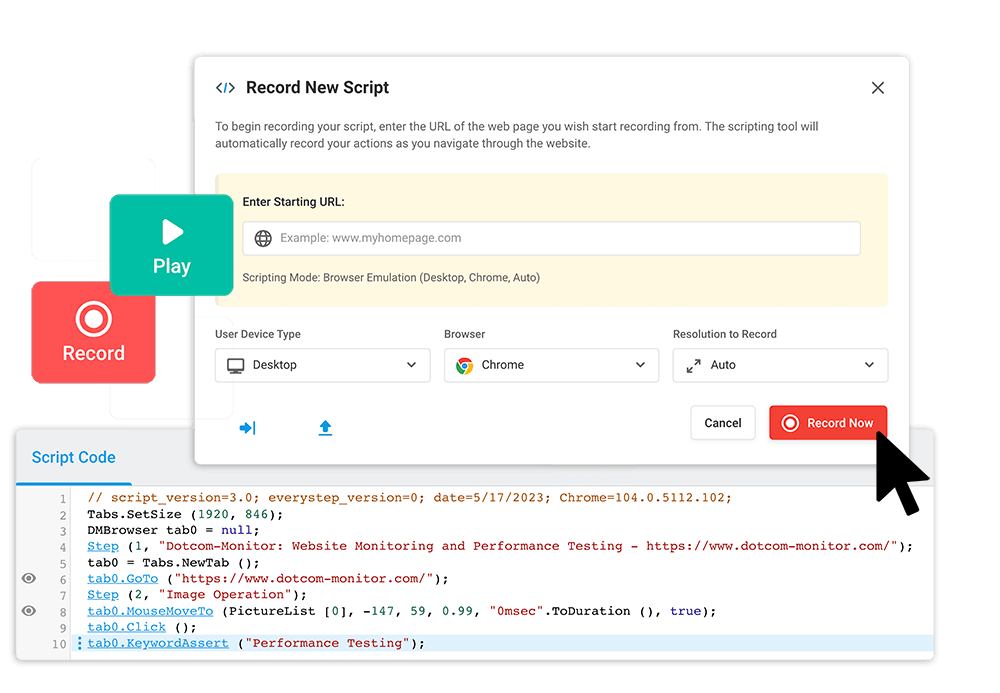
Point and Click Load Scripting Tool
Easy Script Creation: Use the EveryStep Web Recorder to effortlessly create multi-step scripts for your tests.
Wide Support: Compatible with over 40 desktop/mobile browsers and Rich Internet technologies like AJAX, JavaScript, HTML5, Silverlight, and Ruby.
Simulate Real User Behavior: Move and click through your site to mimic actual user actions and get authentic testing results.
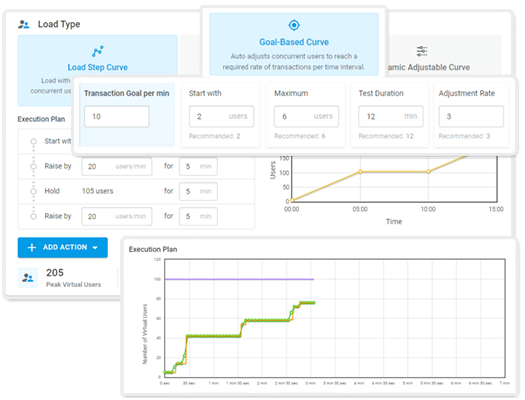
Three Powerful Load Test Curves
Multiple Test Curves: Choose from three powerful load test curves to meet your specific testing needs.
Customization & Flexibility: Adapt your tests for today’s complex applications with options like Load Step Curve, Goal-based Curve, or Dynamic Adjustable Curve.
Tailored Testing: Select the curve that best fits your objectives for more accurate and relevant results.

Key Features
Key LoadView Features
Everything you need to take your web services monitoring to the next level!

Upload your JMeter scripts into the LoadView platform and execute large-scale load tests from a fully managed cloud network.

Import your Postman collections into LoadView and quickly set up load tests to observe API behavior under load.

Perform load testing on a variety of major networks around the world. Quickly identify where load and capacity issues originate. Take quick action to correct slow-loading websites and web applications.

Our customizable dashboards allow you to view your load curve and test data in a variety of easy-to-read ways.

Load curves and testing parameters can be configured and deployed in minutes. Get stress testing and performance data fast.

LoadView is SaaS based and there’s nothing to maintain. You don’t need to purchase support or maintain load testing infrastructure or pay any server overhead. Just start load testing and collecting data right away.
Trusted by Businesses Around the World
4.5
83 reviews
4.6
4.6
All reviews sourced from Capterra verified reviews. Ratings as of August 2026.
Global, Distributed Load Testing
Get answers
Load & Stress Testing—Frequently Asked Questions
Below are some of the most common questions about load and stress testing. If you have additional questions, feel free to contact us.
Load testing is a type of performance testing that simulates varying levels of user traffic and system load to measure the performance, scalability, and reliability of web applications, services, or system infrastructure. The objective is to identify bottlenecks, performance degradation, and system limitations under simulated peak load conditions.
LoadView performs cloud-based load testing by generating virtual user traffic from multiple geographical locations to your website, application, or API. Unlike many traditional tools, LoadView allows for real browser-based testing, offering more accurate insights into performance under heavy load conditions. LoadView also provides various customizable test curves like Load Step Curve, Goal-based Curve, or Dynamic Adjustable Curve to tailor the testing process to your specific needs.
Real Browser-Based Testing: LoadView offers true performance insights by running tests in real browsers, not just headless ones.
Point and Click Scripting: Use the EveryStep Web Recorder to easily create complex, multi-step scripts for over 40 desktop/mobile browsers and Rich Internet Applications.
Customizable Test Curves: Choose from Load Step Curve, Goal-based Curve, or Dynamic Adjustable Curve for more tailored testing scenarios.
Real browser load testing involves running performance tests in actual web browsers rather than headless or simulated ones. This is crucial because it provides an accurate picture of how your application will perform under real-world conditions, accounting for variables like rendering times, JavaScript execution, and other client-side behaviors that headless browsers can’t capture.
Load testing is essential for identifying the limitations of your web application or service under peak load conditions. It helps you find bottlenecks, measure response times, and assess the overall user experience. This is critical for ensuring that your application or service is reliable and can handle the traffic it will receive, thereby maintaining customer satisfaction and reputation.
The setup process for LoadView is designed to be quick and user-friendly. With pre-configured test templates and the EveryStep Web Recorder, you can create complex load tests in minutes. This allows you to get immediate insights into the performance and scalability of your web applications, helping you make quick adjustments and optimizations as needed.